How to Master Sora 2: A Practical, RealWorld Guide to AI Video Creation (2026)
Last Updated: 2026-01-22 18:08:31
I've spent the past few weeks putting Sora 2 through its paces. Some things work remarkably well. Others... not so much. This guide is my attempt to save you the trial error I went through.
Fair warning: Sora 2 is still rolling out gradually, and features change. I'll note where things are uncertain or evolving. When in doubt, check OpenAI's official Sora 2 announcement (openai.com/index/sora2) for the latest.
What this guide covers: |
What Makes Sora 2 Different from Other AI Video Generators
OpenAI calls Sora 2 the "GPT3.5 moment for video." That's marketing speak, but it's not entirely wrong. The original Sora from February 2024 was impressive but felt like a tech demo. Sora 2 feels closer to something you'd actually use.
Three things stand out after testing:
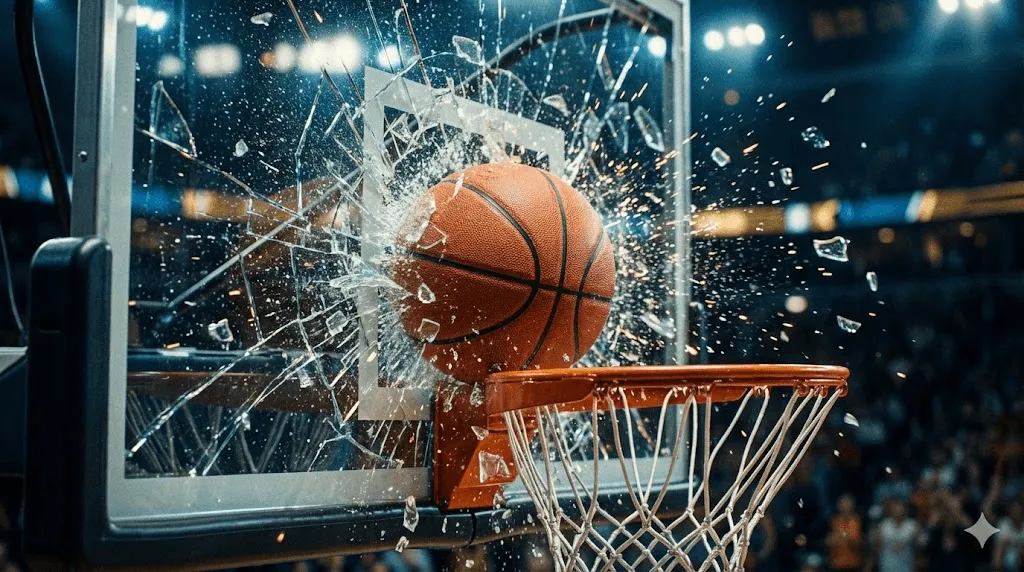
Physics that mostly works. When a basketball misses the hoop in Sora 2, it bounces off the backboard like you'd expect. Previous AI video models would often "cheat" teleporting the ball into the hoop or morphing objects to make the prompt succeed. According to OpenAI's Sora 2 System Card, this improved physics simulation comes from better world modeling, though it's still not perfect with complex interactions.
Builtin audio. This was a surprise for me. Sora 2 generates sound effects, ambient noise, and even dialogue that syncs with lip movements. It's not flawless, long monologues tend to drift, but for short clips, it's remarkably good.
The Cameo feature. You can record a short video of yourself and then drop your likeness into any AIgenerated scene. OpenAI requires consent verification, which is the right call. I'll cover how to use this effectively later.
Note: Sora 2 isn't available everywhere yet. As of December 2026, the iOS app is US/Canada only, and access is invite-based. See OpenAI's help center (help.openai.com) for current availability.
How to Get Access to Sora 2 (Invites, Regions, and Workarounds)
This is where things get frustrating. Sora 2 isn't a "sign up and use it" situation yet.
Current access options
The Sora iOS app is the primary way most people will use Sora 2. It's rolling out via invites in the US and Canada. If you have a friend who's already in, they can share invite codes. Android isn't available at launch.
sora.com offers web access with your OpenAI account, but again, you need an invite. The web version has a few more controls than the app.
ChatGPT Pro subscribers ($200/month) get priority access to "Sora 2 Pro," which offers higher resolution (1080p) and longer clips. Whether that's worth the price depends entirely on your use case.
Thirdparty platforms like Krea.ai and Higgsfield have integrated Sora 2 and don't have geographic restrictions. If you're outside North America or don't want to wait for an invite, these are legitimate alternatives.
My honest take: If you're just curious, wait for broader access. If you need AI video now and can't get an invite, the thirdparty platforms work fine you're just not using OpenAI's native interface.
The Sora 2 Prompting Framework That Actually Works
After generating probably a hundred videos (and throwing away most of them), I've landed on a structure that consistently produces usable results. It's not magic, it's just being systematic about what information Sora needs.
The six elements of a good Sora 2 prompt
Think of it like briefing a cinematographer who's never seen your storyboard. If you leave out details, they'll improvise and you might not like what they come up with.
Element | What to specify | Example |
Style | Overall aesthetic, era, genre | "90s documentary," "IMAX nature film" |
Subject | Who or what, with identifying details | "A courier with a neon helmet, mid30s" |
Setting | Location, time of day, weather | "Rainy Tokyo alley, night, wet asphalt" |
Camera | Framing, lens, movement | "Medium closeup, 35mm, slow pushin" |
Lighting | Key light source, mood, colors | "Neon reflections, pink and blue" |
Audio | Ambient sound, music, dialogue | "Rain, distant traffic, no music" |
Putting it together: a complete example
Here's how these elements combine into a working prompt:
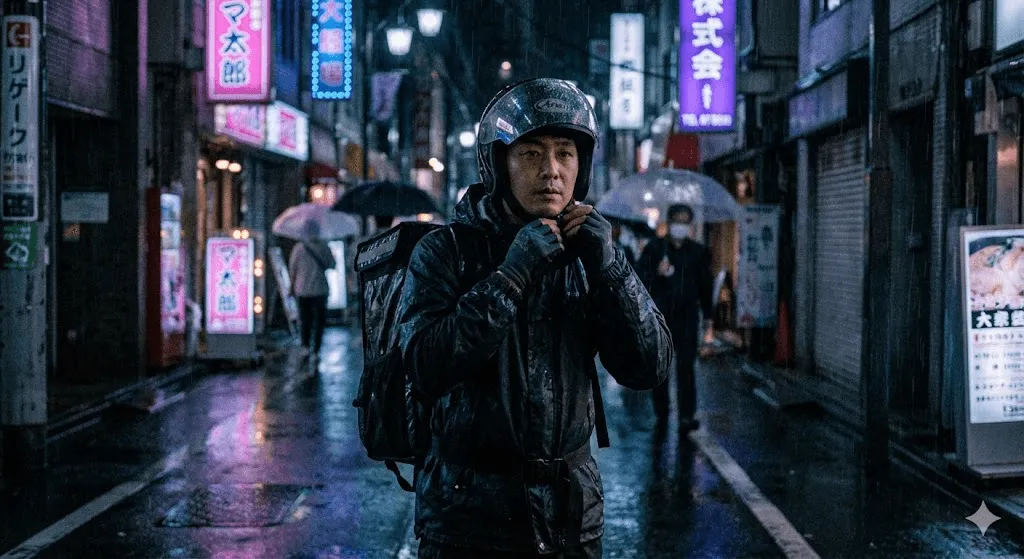
"A rainy neon alley in Tokyo at night. Medium closeup on a courier adjusting his helmet. 35mm lens, shallow depth of field. Handheld camera pushing in slowly. Wet asphalt reflects neon pinks and blues. Moody, synthwave color palette. Ambient rain and distant traffic sounds, no music." |
When to write less
Not every video needs a 100 word prompt. Sometimes you want Sora to surprise you.
Short prompts (1020 words) work well for quick creative exploration, abstract concepts, situations where you're not sure exactly what you want. Example: "A paper boat floating down a stream of liquid gold, dreamy."
Detailed prompts (50100 words) are better for: final production renders, specific brand requirements, multishot sequences where consistency matters.
The tradeoff is control vs. creativity. Longer prompts restrict what Sora can do, but make the output more predictable.
ReadytoUse Sora 2 Prompts You Can Copy and Adapt
I'm including prompts that have worked reliably for me. Adjust them based on what you're making. None of these are magic . They're just starting points.
Cinematic / Film
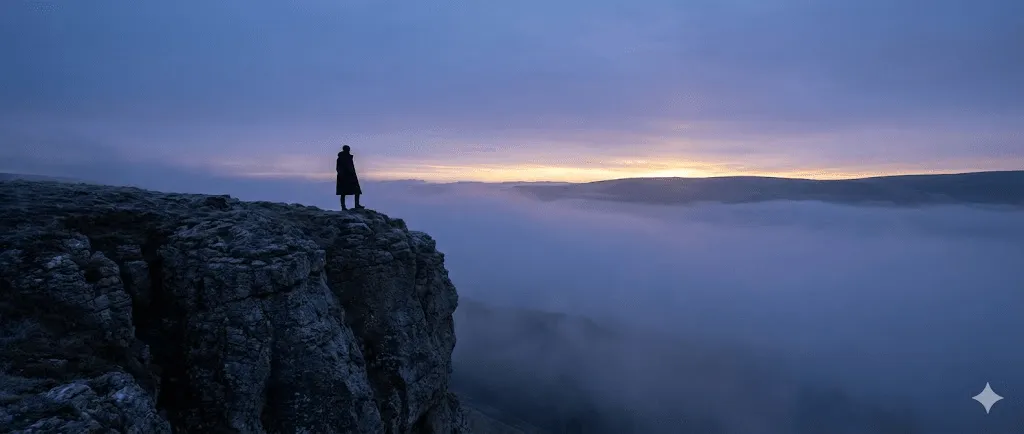
- "Wide shot of a lone figure standing on a misty mountain cliff at dawn. Camera pushes in slowly. Golden light breaks through fog. Wind moves their coat. Orchestral music builds tension."
- "Closeup of a dragon's eye slowly opening. Firelight flickers across scales. Deep rumbling breath. Camera pulls back to reveal its size. Fantasy medieval setting. No dialogue."
- "A submarine's floodlights reveal a bioluminescent creature in deep ocean darkness. Creature pulses with light. Muffled underwater ambience. Documentary style, mysterious."
Product / Commercial
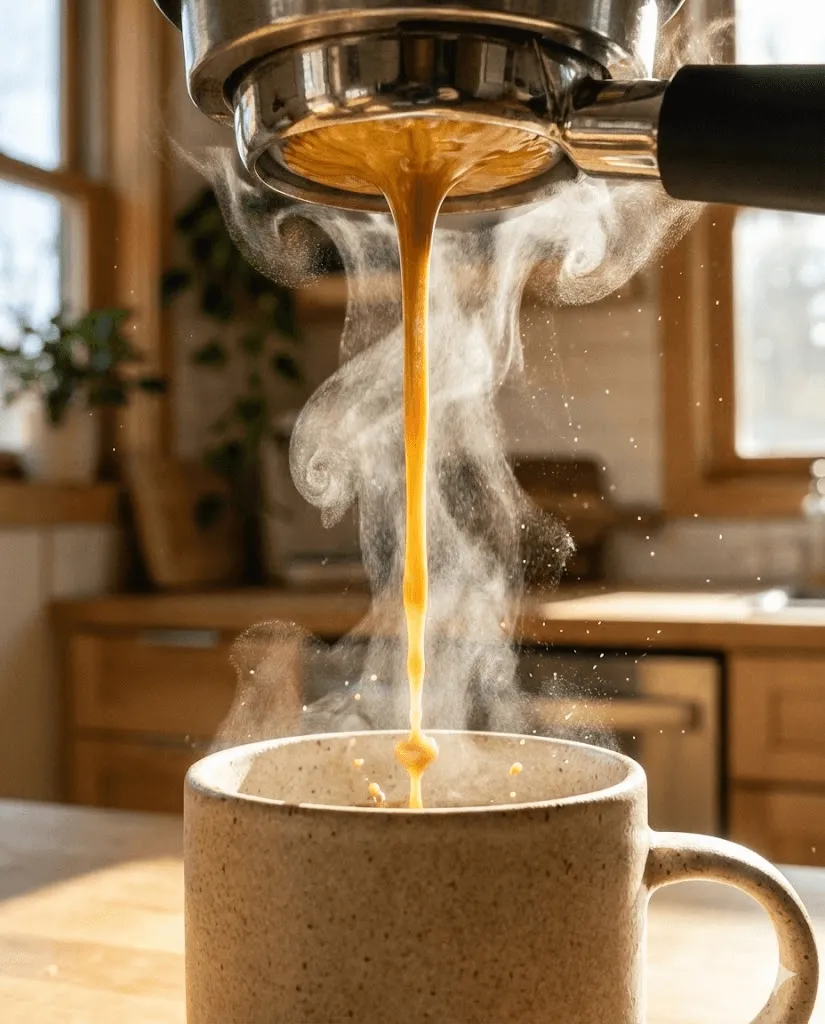
- "Macro shot of coffee being poured into a ceramic mug. Steam rises. Morning light through a window. The camera rotates slowly around the mug. Kitchen background, soft focus. Sound of liquid pouring."
- "Wireless earbuds floating and rotating against white background. Soft shadows underneath. Product photography style. Subtle electronic music. Clean, premium feel."
- "Water droplets on a skincare bottle. Slow motion splash around it. Bright, clean lighting. Spa aesthetic. Calm ambient sound."
Tip: For product videos, keep the background simple. Complex environments distract from the product and increase the chance of physics glitches.
UGC / Social Media Style
- "UGC style reaction video. People in their late 20s holding a product, excited expression. iPhone selfie mode, slightly shaky. Kitchen background. They talk enthusiastically about it. Authentic, unpolished feel."
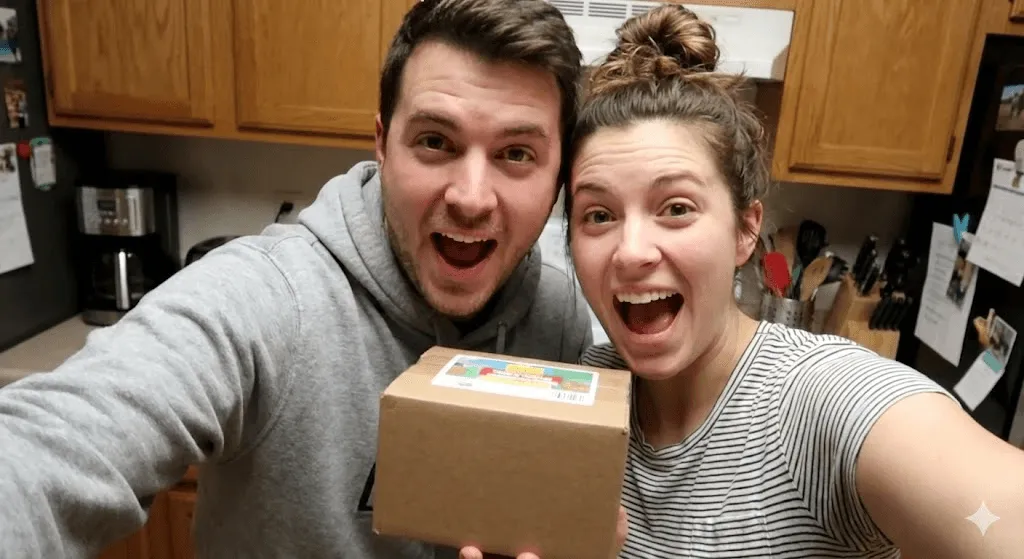
- "POV walking through a night market in Asia. Handheld, immersive. Food stalls, crowds, colorful lights. Ambient chatter and sizzling sounds. Travel vlog aesthetic."
- "Get ready with me style. Young woman doing makeup in bathroom mirror. Ring light visible in reflection. Casual vlog tone. Upbeat background music."
Anime / Stylized
- "Anime opening sequence style. A knight, a mage, and a schoolboy running through medieval streets. Fast cuts. Cherry blossoms falling. Jrock energy. Vibrant colors."
- "Studio Ghibli style. Girl in summer dress riding a bicycle through countryside. Fluffy clouds, green fields, gentle breeze. Peaceful piano. Camera follows alongside."
- "Cyberpunk anime. Hacker with neon hair typing on holographic screens. Dark room lit by monitors. Electronic glitch sounds. Camera slowly zooms to her eyes."
Note: Anime style works surprisingly well in Sora 2. It's more forgiving of physics imperfections than photorealistic styles.
Advanced Sora 2 Features: Cameo, Audio Sync, and Physics Control
Using Cameo without looking weird
The Cameo feature lets you insert yourself into AI scenes. It's impressive when it works, uncanny when it doesn't. Here's what I've learned:
Recording quality matters more than you'd think. Use good lighting natural daylight or a ring light. Film in a quiet room. The AI captures your voice and mannerisms from this recording, so garbage in, garbage out.
Show range during recording. Smile, look serious, turn your head left and right. Say a few sentences with different emotions. This gives Sora more data to work with when placing you in different contexts.
Start with simple scenes. "My Cameo standing on a beach at sunset" works better than "My Cameo doing a backflip while juggling." Complex actions are where the uncanny valley shows up.
OpenAI's Launching Sora Responsibly pageexplains their consent and verification requirements. You control who can use your Cameo . The default is "only me."
Getting audio sync right
Sora 2 generates audio automatically, but you can guide it:
- Be specific about ambient sounds. "Room tone with soft AC hum" is better than "quiet room." "Waves on a pebble beach" is better than "ocean sounds."
- Keep dialogue short. One or two sentences per clip. Longer speech tends to drift out of sync. If you need more dialogue, generate multiple clips and stitch them together.
- Label speakers in multicharacter scenes. "Character A says '...' then Character B responds '...'" helps the model keep voices distinct.
- Plan for postproduction. Even when sync is good, I usually do final audio mixing in an editor. Sora gives you 80% of the way there; the last 20% is on you.
Controlling physics behavior
Sora 2's physics simulation is better than competitors, but "better" doesn't mean "perfect." You can improve results by describing physical properties explicitly:
- Materials: "wet nylon jacket," "polished marble floor," "heavy wooden door"
- Forces: "strong wind from the left," "gentle current pulling the seaweed"
- Interactions: "dust particles scatter as he walks," "footsteps splash in shallow puddles"
- Weight: "heavy oak door swings slowly," "light silk scarf floats in the breeze"
According to OpenAI's System Card, the model still struggles with complex multiobject interactions. Asking for "five balls juggling" will probably fail. Keep physics simple and you'll get better results.
Common Sora 2 Problems (And How to Fix Them)
Every Sora 2 user hits the same problems. Here's how to fix them:
"The output doesn't match what I wanted"
This is usually a prompt problem, not a Sora problem.
First: Simplify ruthlessly. Strip your prompt to the absolute core: one subject, one action, one camera move. Generate that. If it works, add details back one at a time until you find what's causing the issue.
Second: Try exclusions. Add phrases like "no Dutch angles," "no lens flare," "maintain consistent proportions." Telling Sora what NOT to do is sometimes more effective than telling it what to do.
"Characters keep changing appearance"
Character drift is real and annoying. Mitigation strategies:
Use 34 distinctive visual anchors and repeat them at every prompt: "woman with short silver hair, red lipstick, black turtleneck, silver hoop earrings." The more specific, the more stable.
Shorten your clips. Character consistency degrades over time. Four to six seconds is the sweet spot. Generate multiple short clips rather than one long one.
"Objects are clipping, floating, or teleporting"
Physics glitches happen most often with:
- Multiple objects interacting at once
- Fast or complex movements
- Small objects (text, fingers, detailed mechanisms)
The fix: Describe physics explicitly ("the ball bounces naturally and comes to rest") and avoid asking for too many moving parts. If you need complex physics, consider compositing multiple simpler clips.
"Service at capacity" errors
Free tier users hit this constantly during peak hours. Options:
- Try early morning or late night (US time zones)
- Use thirdparty platforms during high traffic
- ChatGPT Pro subscribers get priority access
"Camera is too shaky or chaotic"
Solution: Explicitly specify stability. Use phrases like "lockedoff tripod," "steady gimbal tracking," or "smooth dolly movement." Also: limit yourself to ONE camera movement per shot. "Dolly in while craning up while panning left" will give you motion sickness.
A RealWorld Sora 2 Workflow (From Planning to Final Edit)
Here's how I actually use Sora 2 for projects, not how I wish I used it:
- Planning first, always. Before opening Sora, I wrote out 35 "beats" short descriptions of each shot I need. Subject, setting, mood. This takes 10 minutes and saves an hour of aimless generation.
- Write prompts in a separate doc. Not in the Sora interface. I use a simple text file where I can iterate on language, keep notes on what worked, and maintain a library of successful prompts.
- Generate 3 variations minimum. For every shot I need, I generate at least 3 versions with the same prompt. Sora is stochastic the same prompt gives different results each time. I picked the best one.
- Change one thing at a time. When a video is almost right but not quite, I change only ONE variable and regenerate. Lighting off? Adjust only lighting descriptors. Changing multiple things at once makes it impossible to learn what works.
- Keep a prompt library. When something works well, I save the prompt, the settings, and a screenshot of the result. This library becomes more valuable than any tutorial.
- Postproduction is not optional. Sora generates raw material. Every project I finish involves editing in DaVinci Resolve or Premiere cutting between takes, color grading, refining audio. Don't expect Sora to give you a finished product.
Is Sora 2 Worth Learning Right Now? The Honest Verdict
Sora 2 is genuinely impressive. It's also genuinely frustrating. The gap between "this is amazing" and "why won't this work" can be five minutes.
What separates people getting good results from those getting garbage:
- They're systematic about prompts. Not creative genius, just methodical testing and documentation.
- They iterate. The best output is rarely the first generation. Or the fifth. Sometimes it's the fifteenth.
- They know Sora's limits. And they work around them instead of fighting them.
Technology will keep improving. What won't change is that clear thinking about what you want and discipline in how you get there beats hoping for magic.
Start with the framework in this guide. Build your own prompt library. And expect to throw away a lot of generations before you get what you're looking for.
That's the honest truth about mastering Sora 2.